Two Person Home Office Storage: Two Desks, File Bays
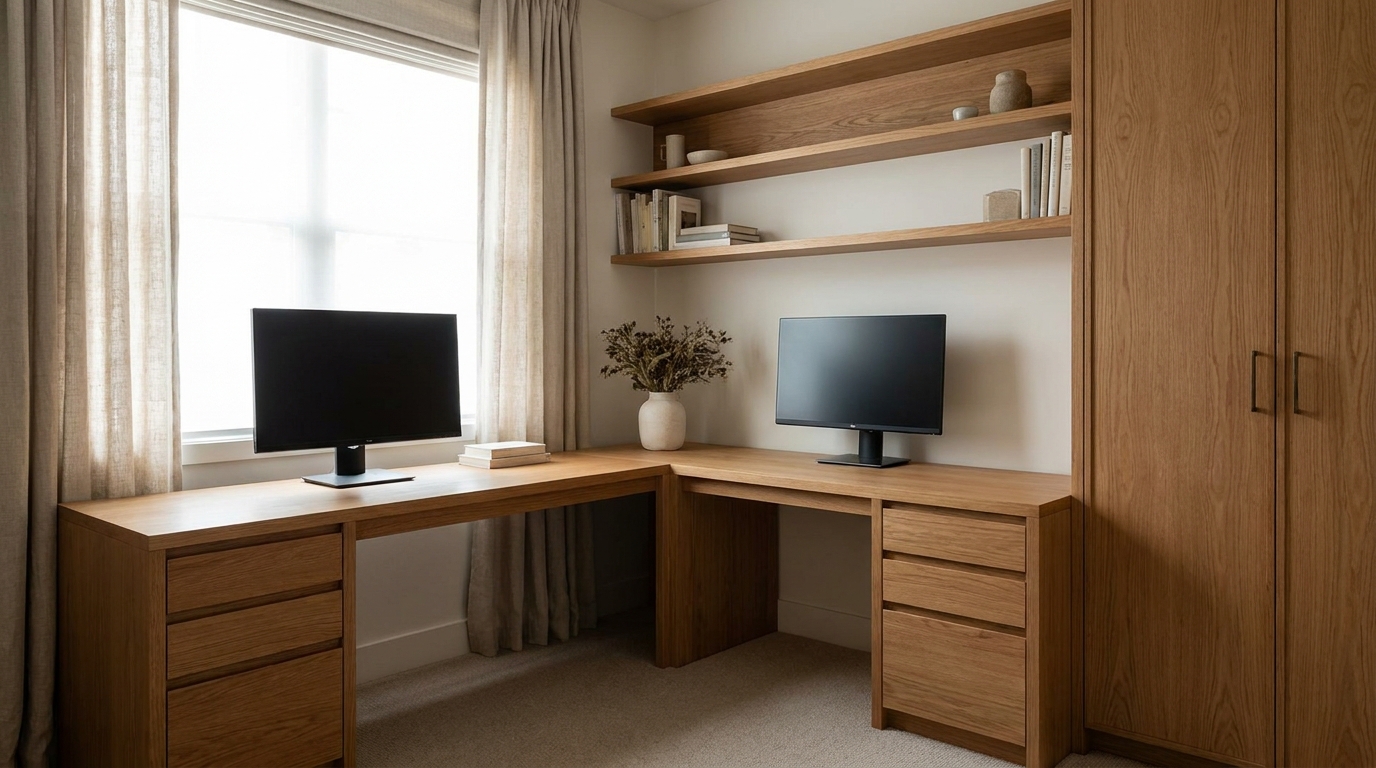
Two person home office storage is a simple split: each adult gets a desk and a file bay, and the household keeps one cabinet for shared paper and supplies. A spare room fails when both people angle toward the middle of one surface, both sets of files land in one drawer, and cords pile up where the keyboard should sit. The printer stays off the center of both desks, and the cable path is planned before either top fills up.
1. Give each adult a desk that faces them
The problem. One long desktop looks generous until both people sit down to work. The screens drift toward a shared center, and each person turns to see their own page.
What two surfaces change. A computer used by one person can be arranged for that person. Cornell University's ergonomics guide, last revised in 2015, says that if only one person will use the computer, the setup can be fitted to that person's size and shape, while a computer used by several people has to come as close as it can for the smallest and the tallest users and for people of different builds. [1] The same 2015 guide says the monitor should sit directly in front of you and face you, not angled to the left or right, because an angled screen invites neck twisting. [1]
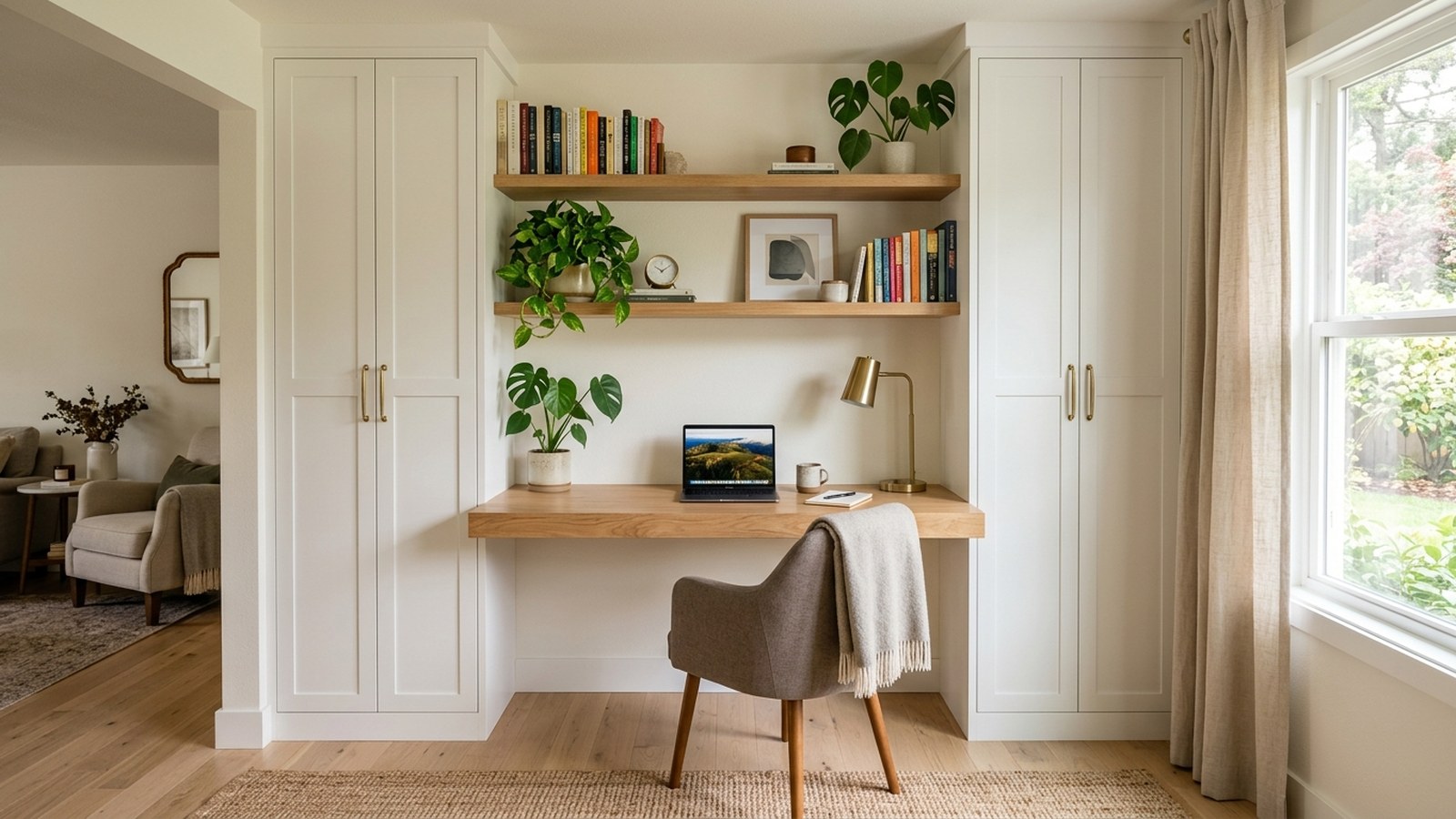
University of Pennsylvania Environmental Health and Radiation Safety, on a home-office page last revised on July 29, 2025, says the head should be centered over the body and facing forward. [2] That page says the monitor should be about an arm's length away, with eye level in the top third of the screen, and lined up with the keyboard and the chair. [2] Two desks let each of you hold that lineup, while one shared desk makes it the first thing to give up. In a narrow room, use two shorter tops and a clear gap, either a walkway or the shared cabinet, so each chair can move and papers do not pile up between you.
2. Leave room for the keyboard, the screen, and a page
The problem. A top that looks deep on install day gets shallow once a monitor, a notebook, and a knot of cords all sit on it. The keyboard slides toward you until your wrists rest on the front edge, or it slides away until you lean in.
Height, in plain language. Cornell's 2015 guide says a flat surface used for both writing and computer work should sit between 28 and 30 inches above the floor for most adults. [1] The same guide says you cannot set one flat height that is ideal for keyboarding, using a mouse, writing, viewing documents, and viewing the screen, because those tasks want different heights. [1] We use that range as a writing height for most adults, keep the front edge clear, and do not treat one fixed board as a cure for every posture.
Penn's 2025 home-office page says that if the surface is too high, you can raise the chair or use a cushion so your sitting height comes up. [2] It says the work surface should be large enough for the computer and the accessories, with the keyboard and mouse on the same surface, and that items you use often should be easy to reach. [2] Elbows should stay close to the body and at about 90 degrees, at keyboard height, with the wrists straight. [2]
The front edge. Penn's page says not to rest your wrists on the edge of the desk, because that contact can cause pain and reduce blood flow, and pressure on the carpal tunnel can eventually cause damage. [2] Keep the keyboard and mouse close to the edge so you do not lean forward and park your arms on the top. [2]
Depth and the page you are reading: Cornell's 2015 guide describes a comfortable viewing distance as about an arm's length. [1] Sit back, raise your arm, and your fingers should be able to touch the screen. [1] The desktop has to be deep enough for that distance without shoving the keyboard off the front edge. Paper you are reading should sit as close to the monitor as you can place it, at a similar angle, and a document holder helps. [1]
3. Build two file bays for the papers each person touches
The problem. One file drawer turns into a negotiation. One person's project notes sit on top of the other person's benefits packet. Both of you stop filing, and the unsorted pile moves back onto the desktop you just cleared.
Two bays, on purpose. Each desk gets a file bay for the papers that person uses during the week: the project folder, the notes, and the forms still in motion. That bay is not the household archive. Because those pages are used often, they belong close to the person who needs them, which matches Penn's point that frequent items should be easy to reach. [2]
A 2018 New Mexico State University Extension guide on home filing says an organized system lets other family members find documents. [3] It says to keep categories simple enough for you and for someone else to understand, and that color-coding plus a written tab makes a folder easier to locate. [3] The guide also says that stuffing papers in a kitchen drawer or a hall closet can count as record keeping, but it is not a good system. [3]
4. Keep one shared supply cabinet for household paper
The problem. Tax folders, insurance renewals, and a pack of paper have no single home, so they rotate across both desks. Each person thinks the other one filed it.
One cabinet, shared on purpose. The 2018 NMSU guide says an organized file system makes records available when you prepare income taxes, and that current records should be kept where they are safe and convenient in the home. [3] It says an elaborate office is not necessary to store a filing system, and that consistency matters because you will keep taking old records out and putting new ones in. [3]
The IRS, on a page reviewed on June 30, 2026, says how long you keep a document depends on the action, expense, or event it records. [4] The page says you generally must keep records that support an item of income, a deduction, or a credit on your tax return until the period of limitations for that return runs out. [4] It says to keep records for 3 years if situations (4), (5), and (6) on that page do not apply. [4]
Those situations are a 6-year period when income you should have reported is more than 25 percent of the gross income shown on the return, and an indefinite period if you do not file a return or you file a fraudulent return. [4] The page also says to keep records for 7 years if you file a claim for a loss from worthless securities or a bad debt deduction, and to keep employment tax records for at least 4 years after the tax becomes due or is paid, whichever is later. [4] Keep copies of filed returns, because they help with a later return and with an amended one. [4]
Property papers are a different stack from this year's mail. The IRS says to keep records relating to property until the period of limitations expires for the year in which you dispose of the property, because you need them to figure gain or loss. [4] It also says that when a record is no longer needed for tax, you should not discard it until you check whether you need it longer for another reason, and it names insurers and creditors as examples. [4]
What goes in that cabinet, and what does not:
- Household files, not job files. Income tax, insurance, housing, and financial records are categories the 2018 NMSU guide suggests, and the guide says you can merge headings or adapt the list. [3]
- Supplies both of you use. Printer paper, extra folders, and stamps live here. The pen you reach for every hour stays at your own desk. [2]
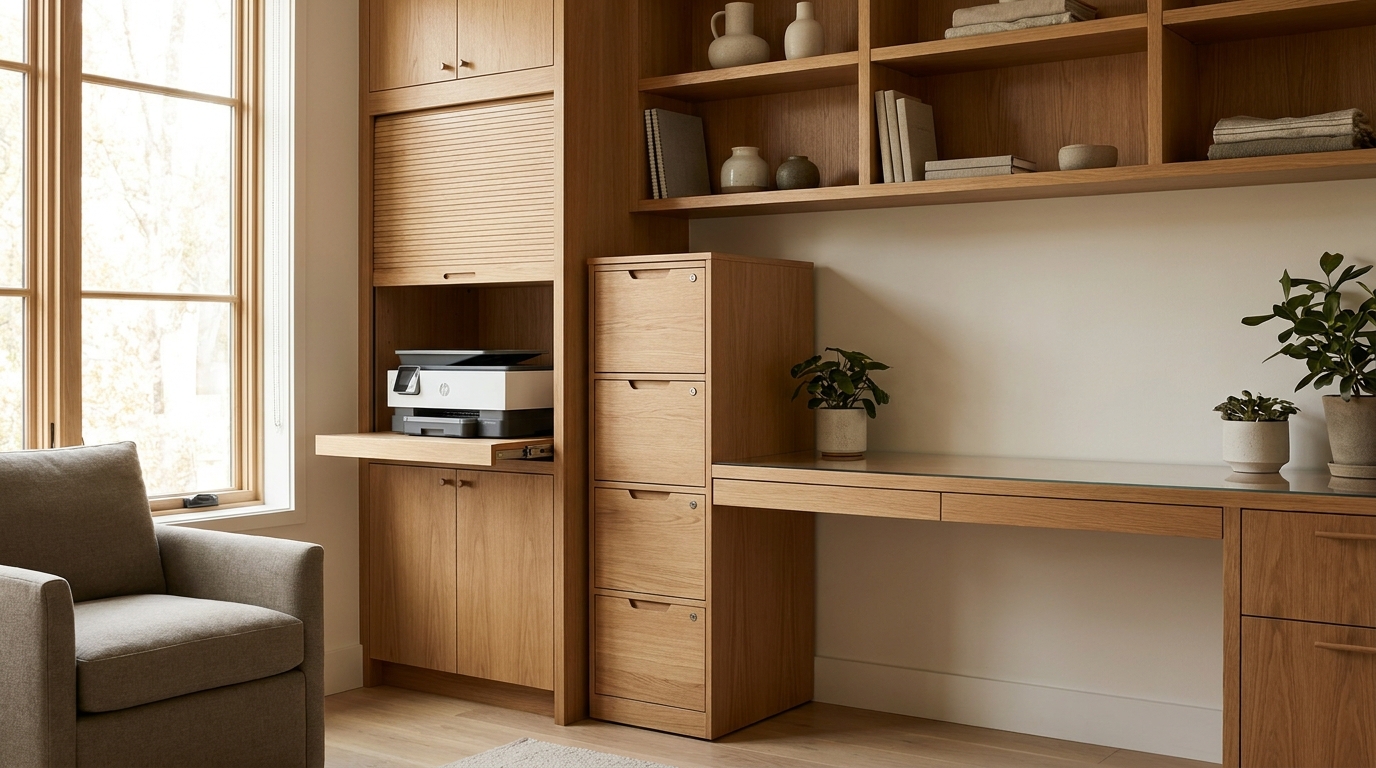
- The printer off both centers. Park it at the end of the cabinet or on a side surface. The middle of each desk is for the keyboard and the screen.
- A door, not a display shelf. Closed storage keeps the shared stack from becoming the view from both chairs. On a long wall the cabinet can sit between the desks. In a tight room it goes at the end so both chair paths stay clear.
5. Run a cable path that leaves both desktops clear
The problem. Each desk collects a monitor cord, a laptop cord, a lamp, and a charger. Across the top, those cords steal the spot where the keyboard should sit close to the edge. Across the floor, both chairs roll over them.
A path inside the built-in. We leave a slot or a hole at the back of each desktop so cords drop behind the work surface and run along the back of the cabinet to a power strip at a wall outlet. The cords stay off the writing area and out of the walkway. We are routing cords you already have, not opening walls.
CPSC Publication 5032, from 2012, says extension cords should only be used temporarily, and that you should not run them under carpets, through doorways, or under furniture. [5] Overheating is usually caused by overloading a cord or by connecting products that use more watts than the cord can handle, and a hot cord is a warning sign. [5] Damaged cords can cause fires, so do not power products beyond the cord's capacity. [5]
What the path is for:
- Two short runs. Each desk feeds its own strip at a wall outlet. Do not stretch one cord across the floor to the other desk.
- Outlets stay separate. If the receptacles are on the wrong wall, ask a licensed electrician about adding one. We do not open walls or add circuits.
6. Set the light, the laptop, and the reason to stand up
Glare and long sessions: Penn's 2025 page says bright light on the monitor can cause glare, and that glare can cause eye fatigue. [2] Do not put the monitor in a window or across from a window. [2] Place it at 90 degrees to the glass when you can, use blinds on direct sun, and add a task light for printed pages. [2] For a long stretch at the screen, that page suggests looking 20 feet away for 20 seconds every 20 minutes. [2]
Laptops, calls, and chairs: Penn's page says a laptop is not designed to be your primary computer, because the screen and the keyboard cannot both sit at a good height, so you cannot hold a neutral posture. [2] If you use a laptop most days, raise the screen to eye level or slightly below and add an external keyboard and mouse, or use a dock with an external monitor, keyboard, and mouse. [2] A headset cuts the stress of holding a phone, looking down at one, or holding one to your ear. [2] Choose a chair with some lumbar support, because a long session on a couch or in bed can hurt your lower back. [2]
Cornell's 2015 guide suggests sitting in a neutral work posture, then standing up for other tasks such as filing papers, rather than trying to type while you stand. [1] Penn's page says the best way to reduce ergonomic risk is to change position regularly, and that standing for too long brings its own costs, including less circulation and pressure on the knees, hips, and feet. [2] The shared cabinet is a short walk to pull a folder and sit back down, not a reason to type on your feet.
7. What we measure before we build
In Charlotte, NC, many two-person offices start as a spare bedroom with one window and outlets on the wall you did not want. The same limits show up in Ballantyne homes. We measure the room, then we look at how each of you sits, which papers you touch every day, and which papers you need only at tax time.
On the visit we confirm:
- Two work zones. Each one has a surface, a file bay, and a chair path that does not collide with the other.
- One shared cabinet. Household files and shared supplies open without crossing the other keyboard.
- A cable path. A back channel and a strip at an outlet, with cords off the top and off the floor.
- The real folders. We size the bays around the folders you already keep, and we set screens at 90 degrees to the glass when the wall allows it. [2]
Our home office built-ins are planned around desks, file storage, and cable routing for the way a room is actually used. A two-person office is that same idea, drawn for two adults instead of one.
Practical takeaways
- Two desks, fitted to two people. A one-person computer setup can match that adult. A shared computer has to compromise across different sizes, and each screen should face its user. [1]
- Writing height, then the front edge. Cornell's 2015 guide puts a flat writing-and-computer surface between 28 and 30 inches above the floor for most adults, and says one flat height cannot be ideal for keyboarding, mousing, writing, and viewing at the same time. [1] Keep the keyboard and mouse close to the edge, on one surface, with the screen about an arm's length away. [2]
- Two file bays and one cabinet. Active papers stay with the person who uses them, and shared supplies stay in the one cabinet. Household file categories should be simple enough that either adult can follow them. [3]
- Do not guess how long to keep a file. The IRS page reviewed in June 2026 gives 3 years when situations (4), (5), and (6) do not apply, longer periods for other cases it lists, and property records until the limitations period for the year you dispose of the property. [4]
- Printer off the center, cords on a path. The middle of each desk is for the keyboard and the screen. CPSC Publication 5032, from 2012, treats extension cords as temporary and says not to run them under carpets, through doorways, or under furniture. [5]
- Stand up to file, then sit back down. That short walk is a position change, not a plan to type on your feet. [1] [2]
How we can help
Our team designs custom closets and storage for homeowners who want the room to work on a Tuesday, not only on the day it is installed. For two adults who both work from home, that means two desks, two file bays, one supply cabinet, and a cable path we draw before anything is built.
Have more questions or want to get in touch? You can reach us through our contact page, by phone at (704) 604-3870, or by email at design@theclosetrehab.com.
Citations
- Cornell University Ergonomics Web, "Computer Workstation Ergonomics Guidelines" (2015-06-13)
- Penn Environmental Health and Radiation Safety, "Home Office Ergonomics" (2025-07-29)
- New Mexico State University Cooperative Extension Service, "Organize a Home Filing System" (2018)
- Internal Revenue Service, "How long should I keep records?" (2026-06-30)
- U.S. Consumer Product Safety Commission, "Household Extension Cords Can Cause Fires" (Publication 5032, 2012)